
Ads Tracking Pipeline
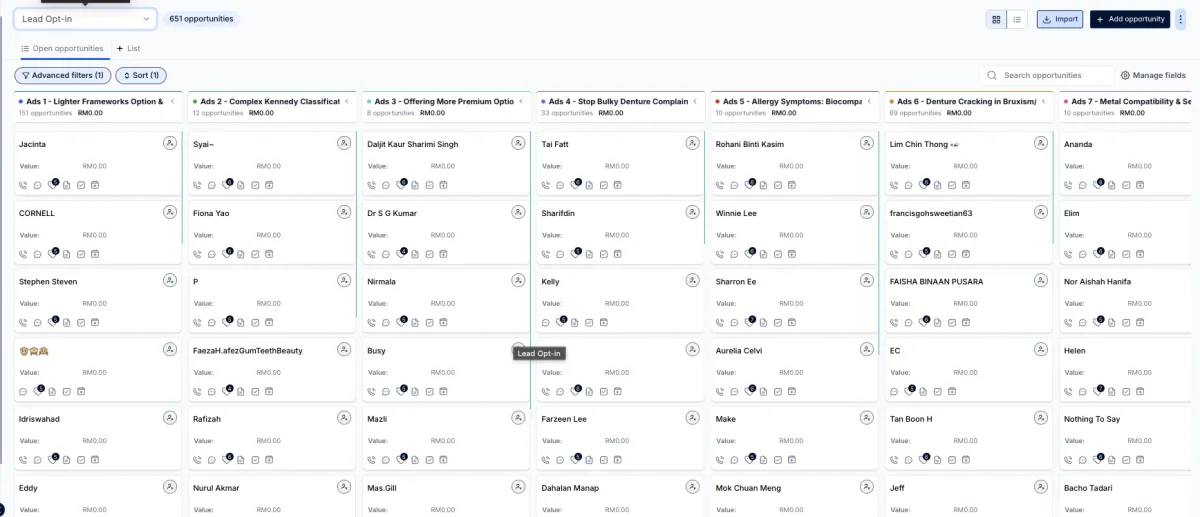
我们帮你设置了一个 Pipeline,用来追踪每一个广告进来的 Lead。
通过这个系统,你可以清楚看到:
哪一个广告带来的 Lead 比较多
每个广告各自进来多少人
这样你就可以很直接知道,哪一条广告比较多人回应,广告效果一目了然。
在设置之前,我们必须要用到 ”trigger words“ 这个功能
TRIGGER Words
了解什么是Trigger Words 之后,在这里需要你们的广告方面做一点调整
How to Set Trigger Words
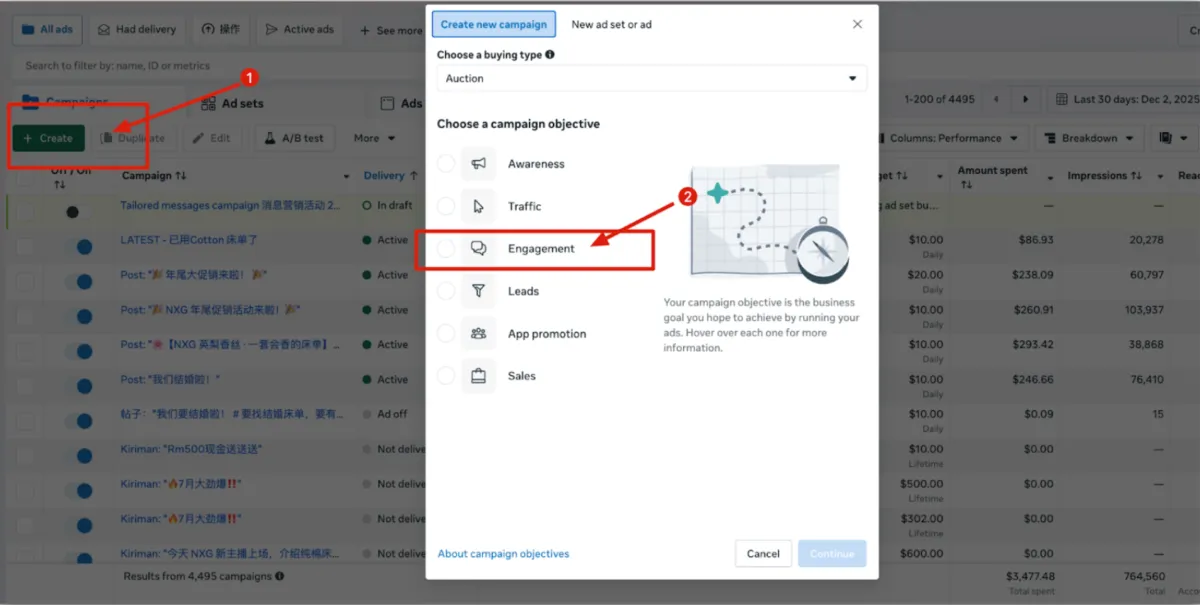
Step 1: Choose Your Objective
Go to your Ads Manager and click the green + Create button.
Choose Engagement as your campaign objective from the list provided.
Click Continue.
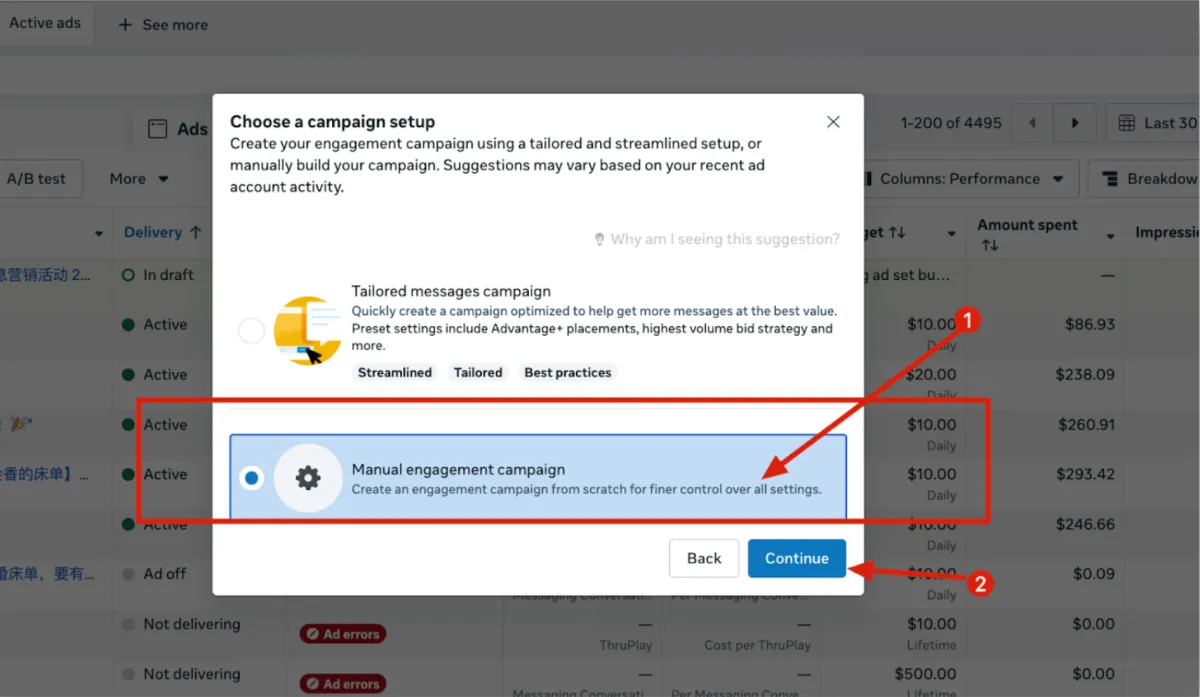
Step 2: Choose Your Setup Method
When prompted to choose a campaign setup, select Manual engagement campaign. This gives you full control over every setting.
Click Continue to move to the main editor.
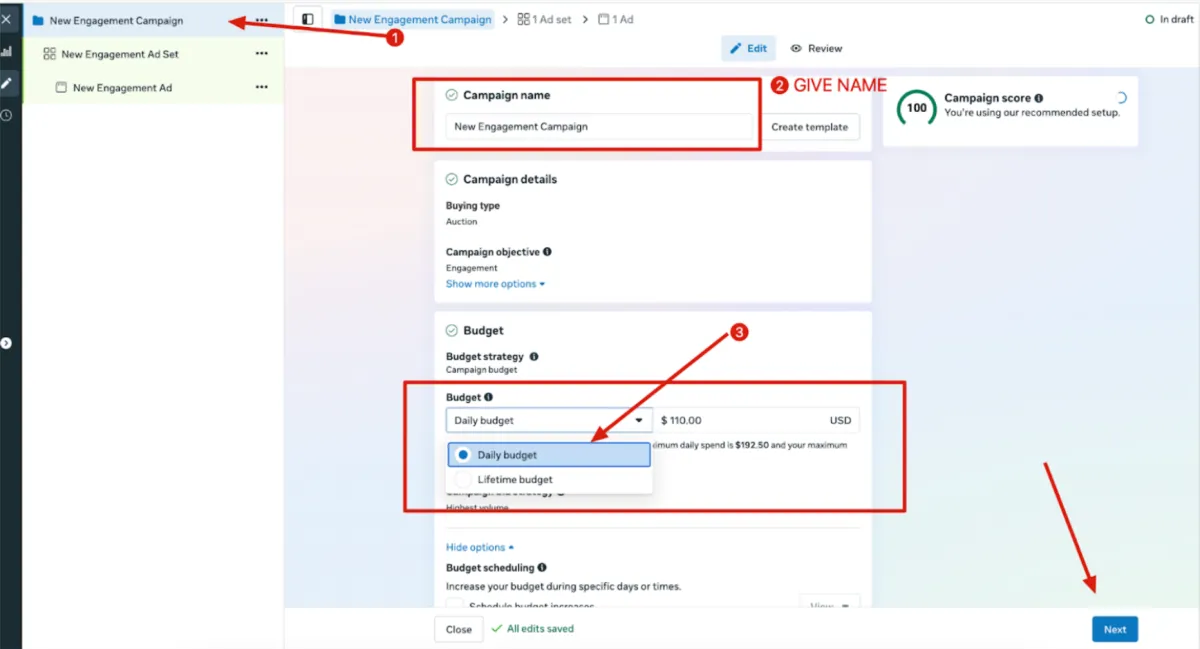
Step 3: Define Campaign Name and Budget
Name your campaign at the top so it’s easy to track.
Scroll down to the Budget section. Choose between a Daily budget or a Lifetime budget and enter the amount you wish to spend.
Click Next at the bottom right.
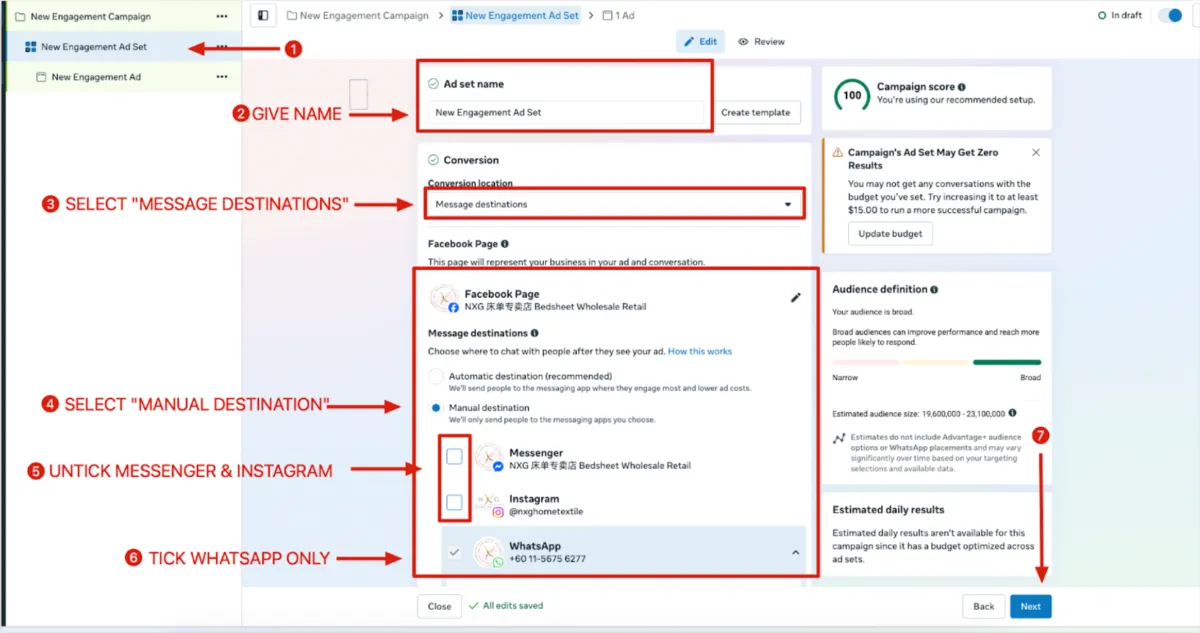
Step 4: Configure Message Destinations
In the Ad Set level, give your Ad set a name.
Under "Conversion," set the location to Messaging apps.
Select Manual destination.
UNTICK Messenger and Instagram, and make sure WhatsApp is the only one ticked. This ensures all leads go directly to your WhatsApp number.
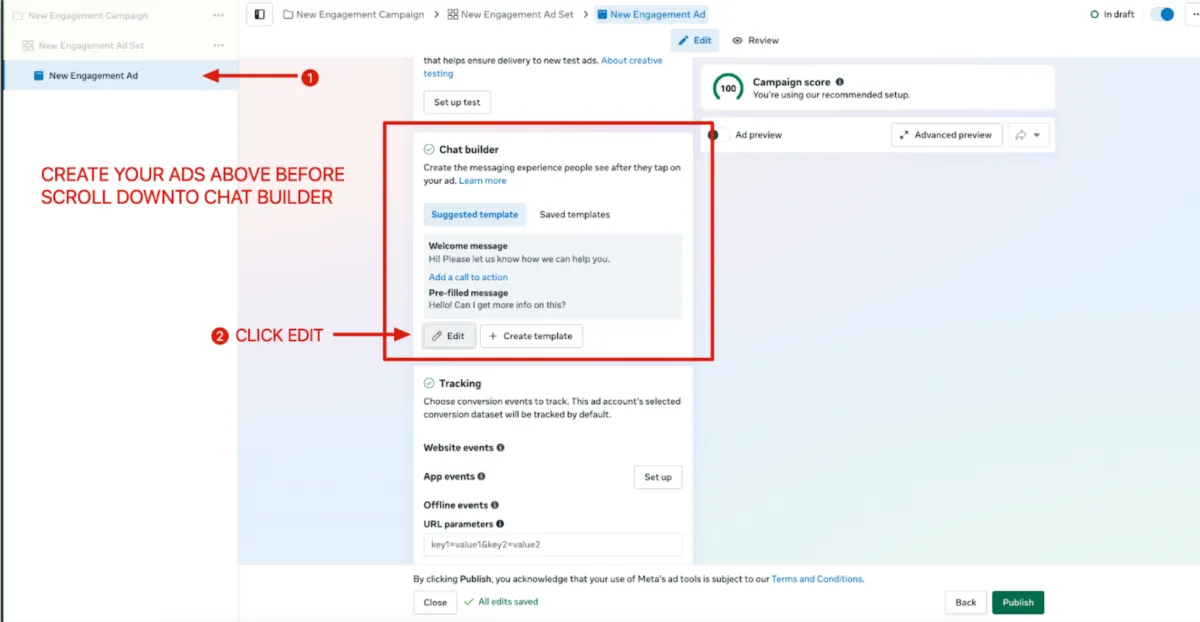
Step 5: Set Up the Ad Creative and Chat Builder
After uploading your images or videos, scroll down to the Chat builder section.
Click the Edit button to customize the automated experience users see when they message you.
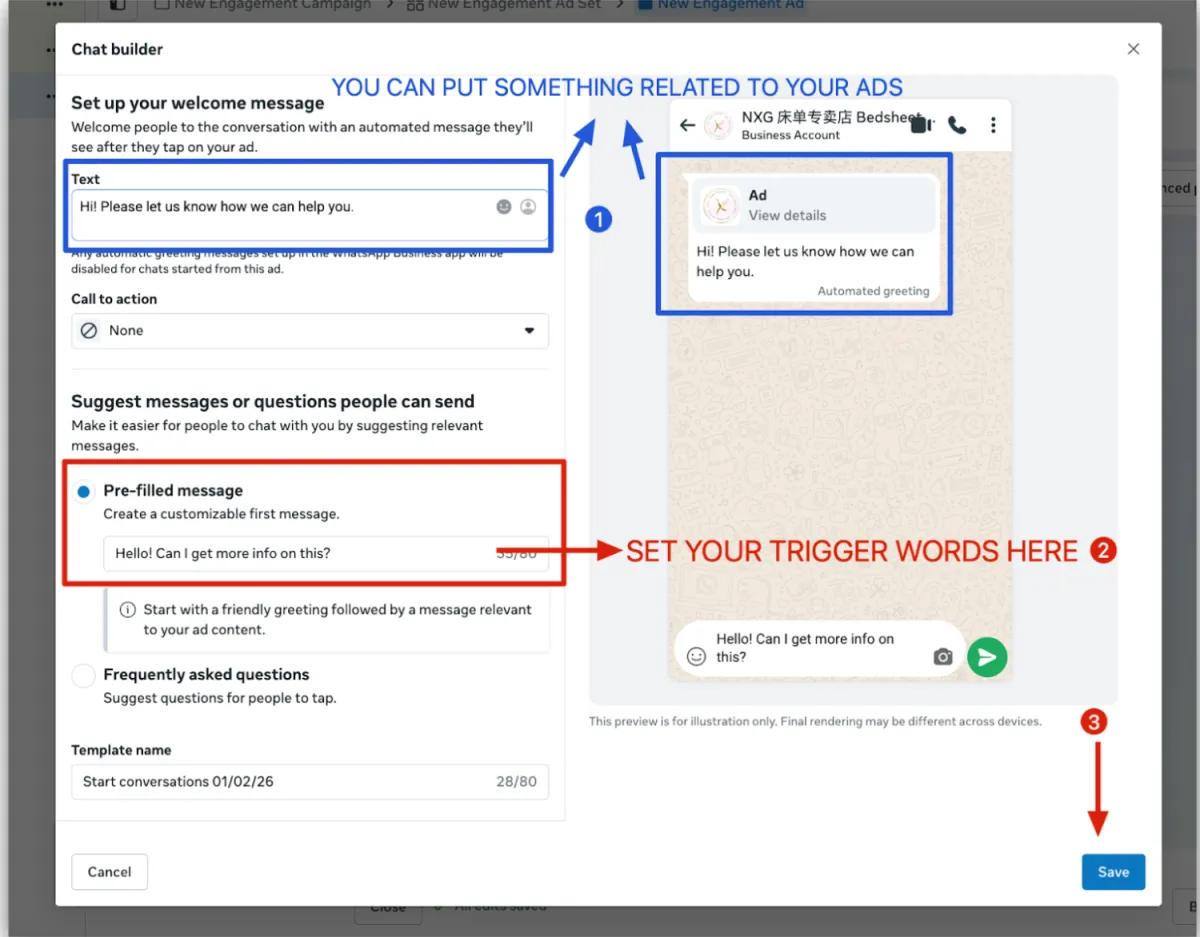
Step 6: Customize Your Welcome Message
In the Chat Builder popup, write a Welcome message that relates to your specific ad.
Under "Pre-filled message," set your Trigger words (this is the text the customer sends to you with one tap).
Click Save and then click Publish to launch your campaign.
Any question? Click here to learn more
© copyright 2026 sales revolution | all rights reserved